Backup password, recovery key and the product lock on jobs without a password: how backups are opened on another SignBackup.
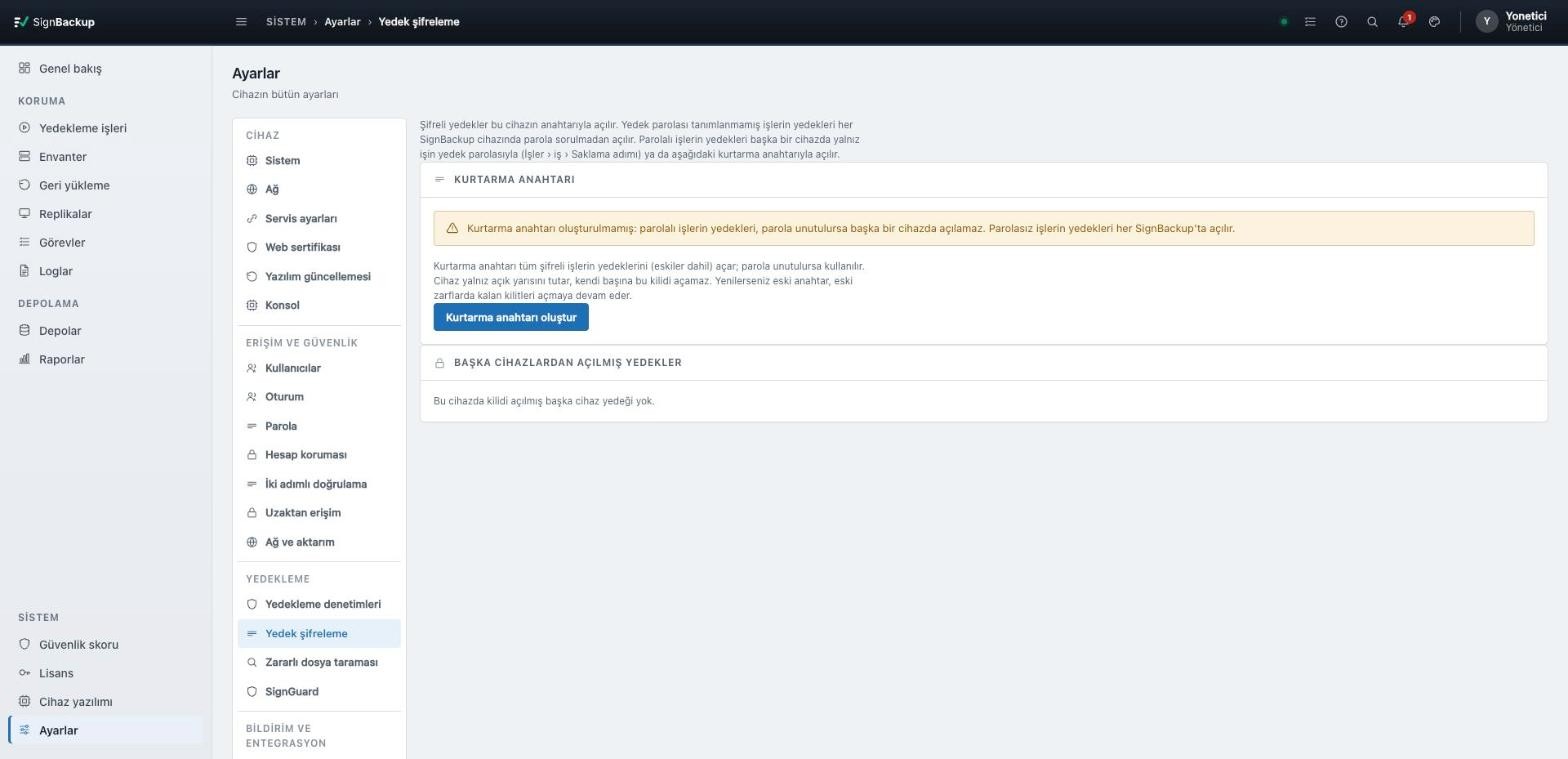
- Menu path: Left menu › System › Settings › Backup › Backup encryption (
?grup=sifreleme) - Who uses it: Administrator only
Purpose
Encrypted backups are encrypted with a key derived from this device's master key and the job that took the backup. This device always opens its own backups without asking for a password. What happens on another SignBackup (device failure, reinstallation, moving a repository) depends on whether the job has been given a backup password.
| Job | On another SignBackup |
|---|---|
| Without a password | Opens without asking for a password (product lock). Easy recovery, but the encryption only protects against readers that are not SignBackup. |
| With a password | Opens only with the job's backup password or the recovery key. Use this for real confidentiality. |
| Unlock method | Where | What it opens |
|---|---|---|
| Backup password | Jobs › job › Retention step | All backups of that job (including older ones, even if the password is set later). |
| Recovery key | Settings › Backup encryption | Backups of all encrypted jobs; for when a password is forgotten. |
How it works
Each job's data key is stored in the repository, in the key envelope (anahtar-zarfi.json) in the job's folder, under separate locks:
| Lock | Description |
|---|---|
| Password lock | The password is turned into a key with Argon2id, and the data key is wrapped with it. The password is not stored anywhere. |
| Product lock (jobs without a password only) | The data key is wrapped with the product transport key present on every SignBackup; another SignBackup opens it without asking for a password. Because this key ships with the product, it is not considered secret; when the job is given a password, the product lock is removed from the envelope. |
| Recovery lock | The data key is sealed to the public half of the recovery key. The device holds only the public half; opening requires the secret half (SBKA-…). |
A verification value in the envelope distinguishes "wrong password" from "corrupted backup". The envelope is updated before each backup and when the job is saved; the data is not re-encrypted, only the key is re-wrapped.
Step-by-step
Giving a job a backup password
- Go to Jobs › job › Edit › the Retention step.
- With Encrypt backups on, enter a Backup password and confirm it (at least 10 characters).
- Save. The job's older backups can now also be opened with this password; the product lock is removed from the envelope.
Creating a recovery key
- Under Settings › Backup encryption, click Create recovery key.
- The key is shown as text and a QR code only at that moment. Print it or copy it to a safe place; the device does not store the secret half, and once you leave the page it cannot be shown again.
- The key is added immediately to the envelopes of all encrypted jobs. The 8-character ID tells you which key was used.
Renew generates a new key: new envelopes are locked with the new one, and the old key continues to open the locks that remain in older envelopes.
Opening another device's backup
On the Restore page, use the Unlock button of a Locked job to enter the password or recovery key. The unlocked key is stored on this device and appears in the Backups unlocked from other devices list; Forget deletes it. Every attempt is written to the audit log.
Warnings and error messages
| Message | Meaning | What to do |
|---|---|---|
| These encrypted jobs have no backup password (…): <jobs> | The backups of these jobs open on any SignBackup. | Give a backup password to jobs that must stay confidential. |
| No recovery key has been created: … | For jobs with a password, there is no fallback if the password is forgotten. | Create a recovery key and store it securely. |
| Wrong password or recovery key. | The envelope verification did not match. | Try again; if you suspect corruption, use Verify integrity. |
| The key envelope for this backup was not found; it cannot be unlocked. | The envelope file is missing. | Restore from the device that took the backup. |
Frequently asked questions
Can someone without SignBackup read a backup that has no password?
No; the data is encrypted. But since any SignBackup can open it, set a password for real confidentiality.
What happens to older backups if I change the password later?
The envelope is re-wrapped; the data is not re-encrypted. Older backups open with the new password.
What about envelopes written by an older version?
They are updated at the job's next backup or when the job is saved.