Common rules of the Settings page and the Device group: System, Network, Service, Web certificate, Software update, Console.
- Menu path: Left menu › System › Settings › Device
- Who uses it: Administrator only
Settings page layout
All of the appliance's settings are on the Settings page, and only an Administrator can open it. The left pane lists the categories in five groups; the right pane shows only the selected category. The ?grup= (group) value in the address bar selects the category (e.g. /ayarlar?grup=ag) and can be bookmarked.
| Group | Categories |
|---|---|
| Device | System, Network, Service settings, Web certificate, Software update, Console |
| Access and security | Users, Session, Password, Account protection, Two-factor authentication, Remote access, Network and transport |
| Backup | Backup pre-checks, Backup encryption, Malware scanning, SignGuard |
| Integration | SMS providers, Logs, Audit and history |
| Appearance | Overview |
Common rules
- Save settings saves only the category being displayed; Restore defaults resets only that category.
- Each setting shows Default: … next to it; numeric settings outside their lower/upper limits are not saved. Durations are entered in seconds, with a human-readable equivalent shown alongside.
- Setting rows carry no hardened / loosened labels; settings looser than their defaults are listed on the Security score page (Security score).
- The category menu scrolls on its own; the selected category stays visible.
- Every change is written to the audit log with the setting name, old/new value, its effect and the user.
- System categories in the Device group are written to the operating system by a system service running as root; the service re-validates every value. If the service is unavailable, an information note is shown instead of the form.
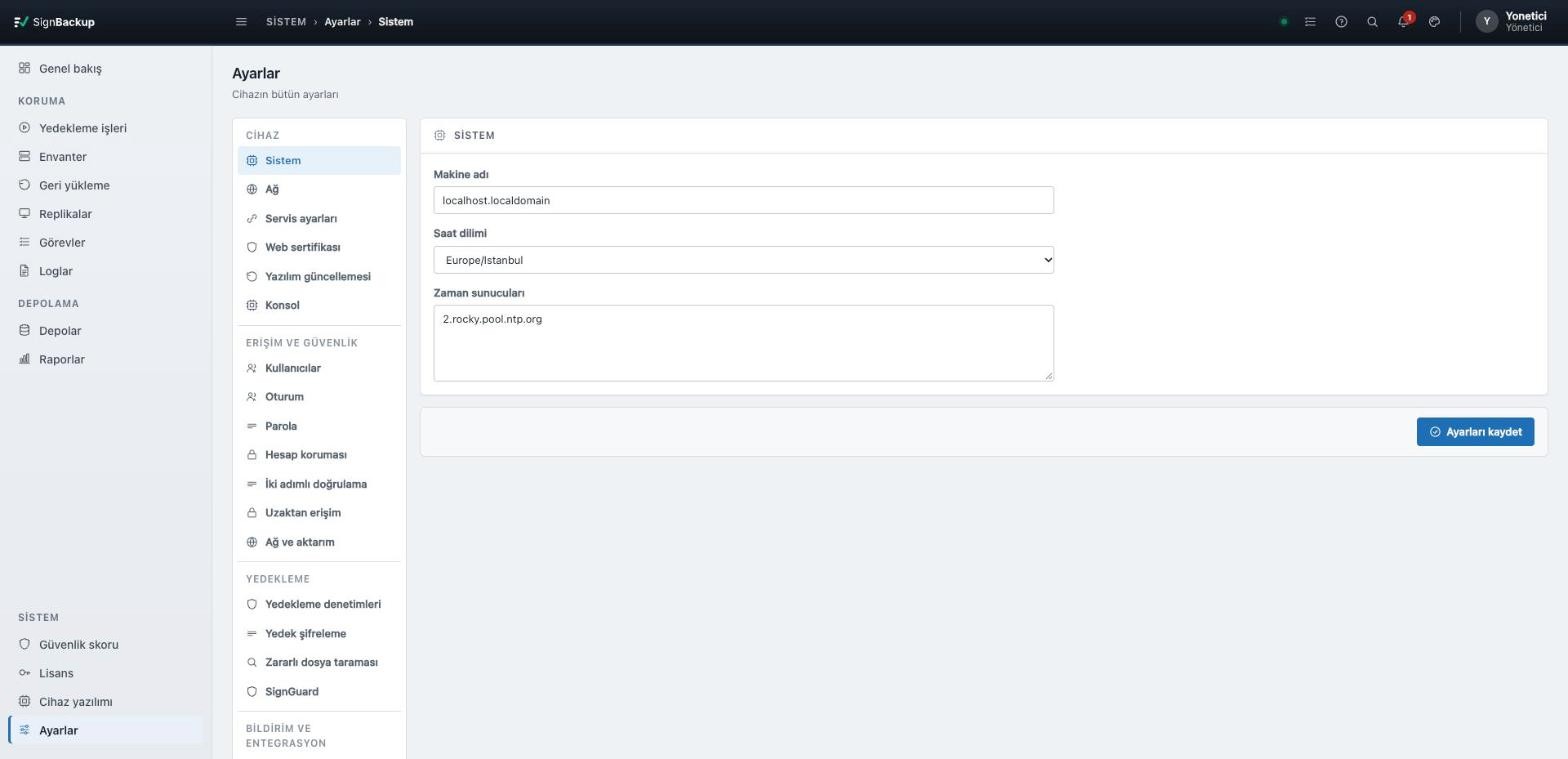
System
| Field | Rule |
|---|---|
| Hostname | Letters, digits, hyphen; can be written with a domain name (yedek01.sirket.local). Each label is 1–63 characters and starts and ends with a letter/digit; 253 in total. Applied immediately; if it cannot be applied, it takes effect at the next restart. |
| Time zone | From the list. Local times and the maintenance window are based on this zone. |
| Time servers | One name/IP per line; at least 1, at most 4. The time service restarts on save. Cannot be left empty; in an installation without internet, enter an internal NTP server. |
Network
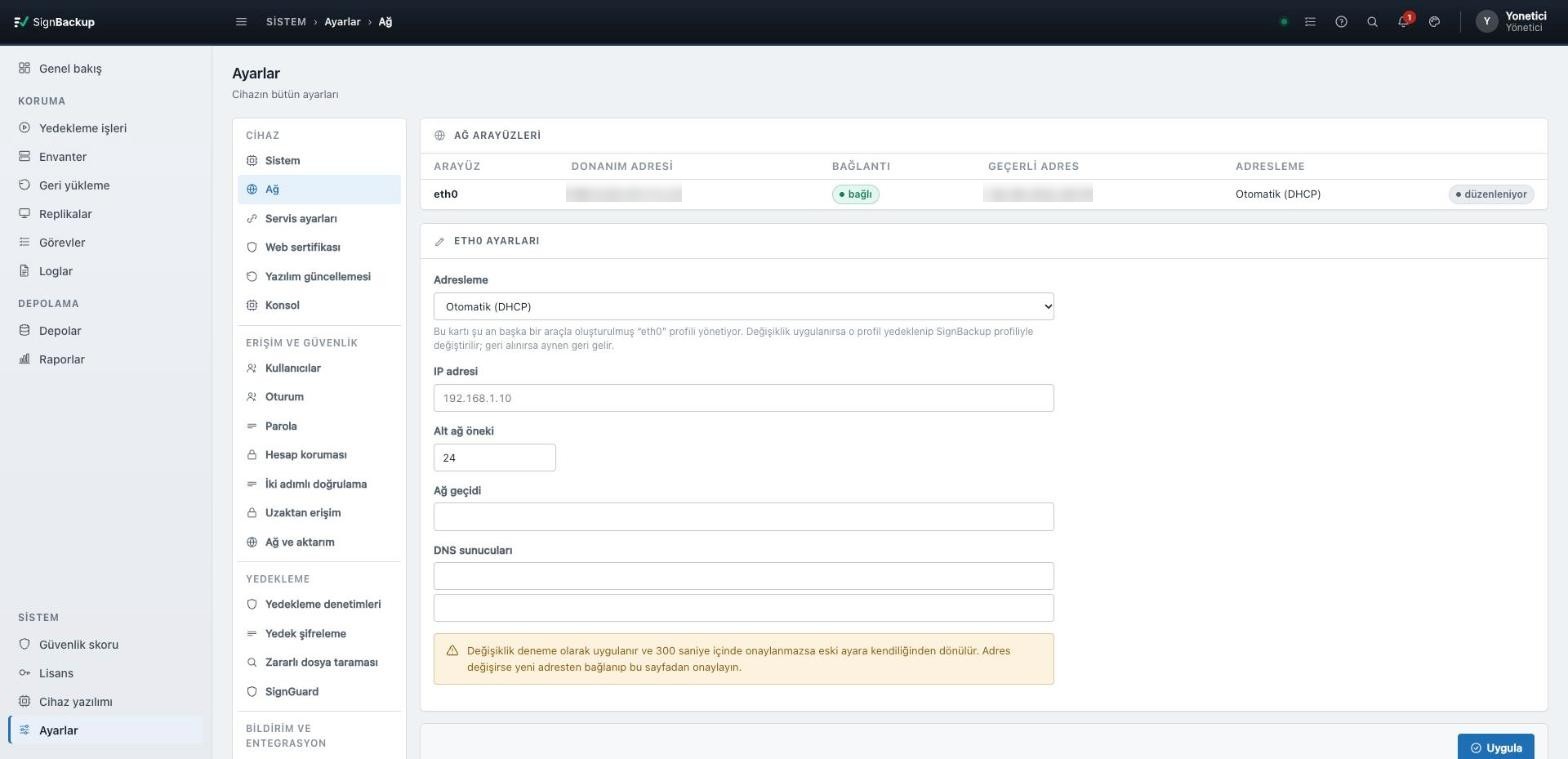
| Field | Rule |
|---|---|
| Addressing | Automatic (DHCP), Static address, Off. Turning off the management interface cuts off access. |
| IP address | IPv4 only; network and broadcast addresses are not accepted. |
| Subnet prefix | 8–30. |
| Gateway | Optional; must be in the interface's subnet and cannot be the interface's own address. |
| DNS servers | At most 2 IPv4 addresses. |
- Select the interface with Edit on its row, enter the values and click Apply. The setting takes effect immediately on a trial basis and the confirmation timer starts (default 5 minutes).
- If the address changed, open the page from the new address.
- Click Confirm setting in the warning at the top. If the time runs out without confirmation, the old setting is restored automatically; Revert reverts immediately.
Only one change can be awaiting confirmation at a time. The trial record is kept on disk; even if the appliance restarts during the trial, an expired change is reverted at boot. A profile created by another tool is backed up and replaced with a SignBackup profile; if the change is reverted, it comes back unchanged.
Service settings
| Field | Default | Rule |
|---|---|---|
| Web interface port | 8443 | 1024–65535; on change the service restarts and the firewall is reloaded. The page is not redirected; open it on the new port. |
| Agent port | 8444 | The two ports cannot be the same; ports used by the appliance (e.g. 5432) cannot be chosen. If it changes, update the address on the agents. |
| Log level | Info (info) | Verbose (debug), Info, Warning, Errors only. On change the web service restarts; audit records are not affected. |
If a backup, copy, replication or restore is running at that moment, the form offers a choice: Restart when jobs finish (recommended; the change is saved and the service restarts once the jobs have finished) or Restart now (running jobs are interrupted). While a change is pending, a Restart now button appears on the page.
Web certificate
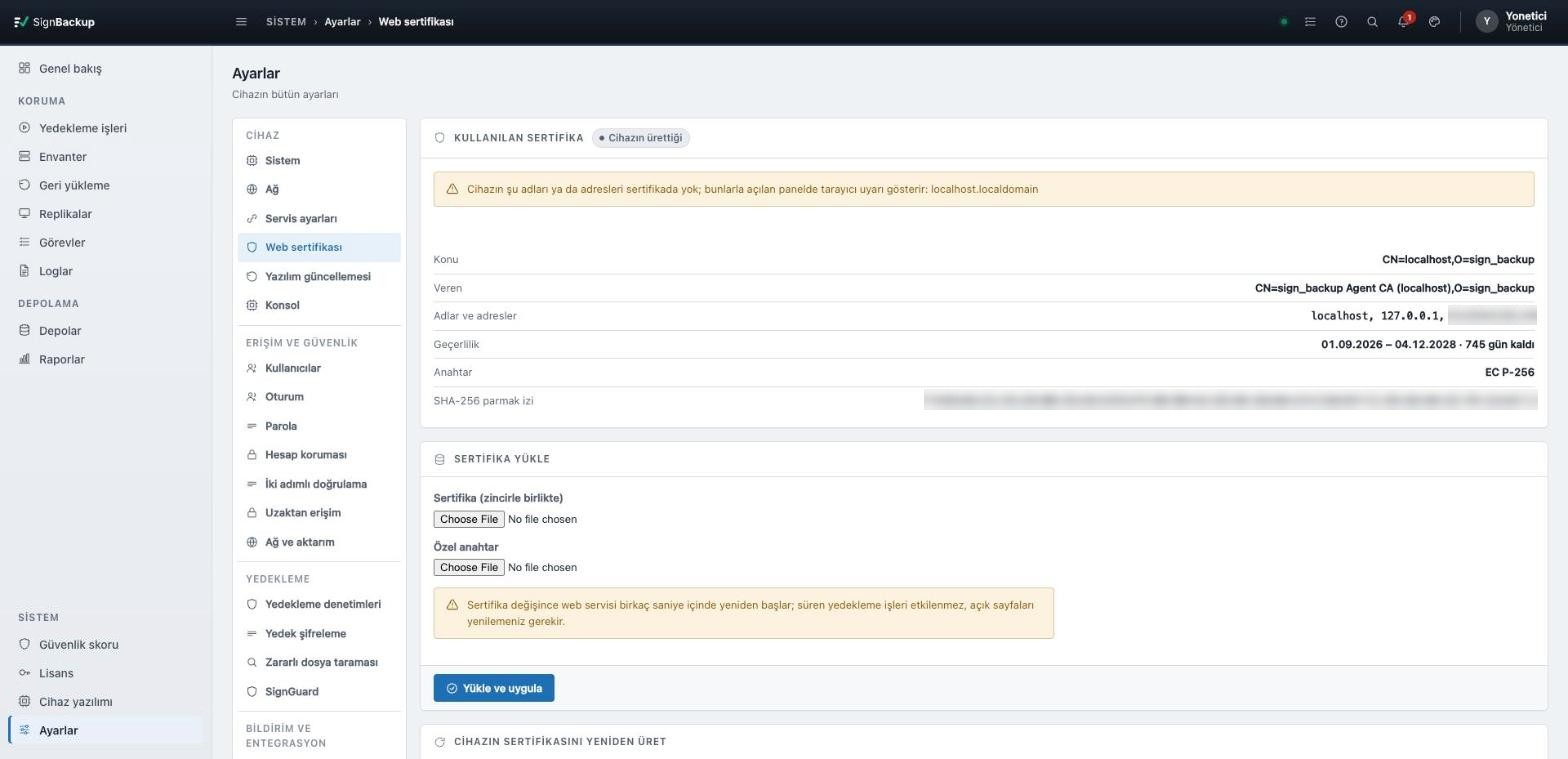
| Action | Description |
|---|---|
| Certificate in use | Source (Uploaded / Generated by the appliance), subject, issuer, names and addresses, validity and days remaining, key, SHA-256 fingerprint, uploaded by. |
| Upload certificate | PEM: certificate (with chain, at most 64 KiB) and an unencrypted private key (RSA ≥2048 or EC P-256/P-384, at most 16 KiB). Key match, validity and chain order are checked; anything that does not comply is rejected. Upload and apply puts it into use immediately. |
| Regenerate the appliance certificate | A new certificate from the local CA for the current names and addresses. Requires a confirmation checkbox; an uploaded certificate is removed. |
| Warning | What to do |
|---|---|
| The following appliance names or addresses are not in the certificate: … | Regenerate the certificate or upload one that covers that address. |
| Expired / expiring soon | Renew it. The warning threshold is the number of days under Settings › Overview (30). |
When the certificate changes, the web service restarts within a few seconds; refresh any open pages. If a backup, copy, replication or restore is running at that moment, the form offers a choice: Restart when jobs finish (recommended; the certificate takes effect then) or Restart now (running jobs are interrupted).
Software update
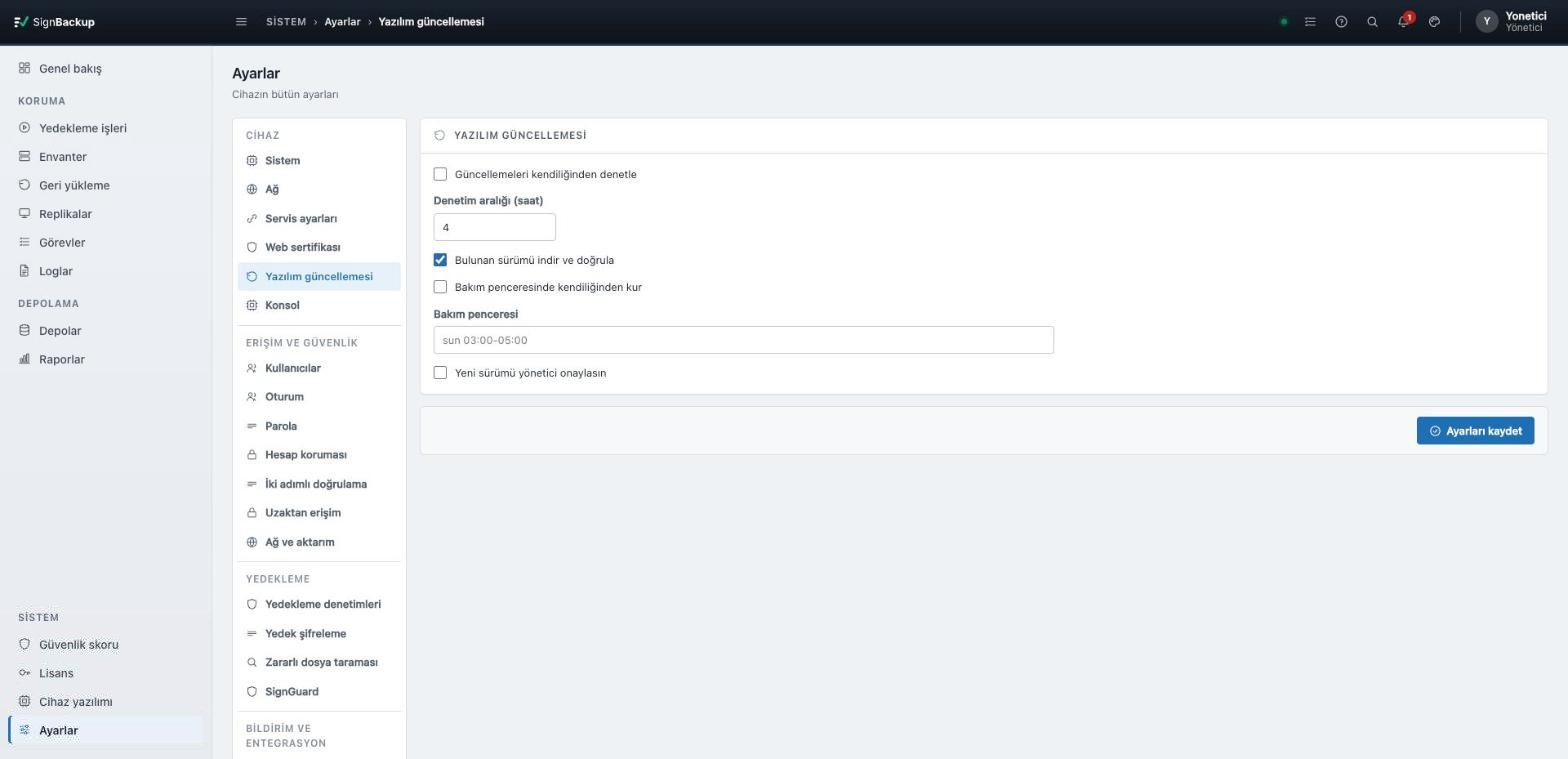
| Field | Default | Note |
|---|---|---|
| Check for updates automatically | Off | Polls the server periodically. |
| Check interval (hours) | 4 | 1–168. |
| Download and verify the version found | On | Installation is requested separately. |
| Install automatically in the maintenance window | Off | When on, saving is refused if the window is empty. |
| Maintenance window | Empty | <gün> SS:DD-SS:DD (day HH:MM-HH:MM); day is mon…sun, comma-separated, or daily. If the start is later than the end, the window crosses midnight (sat 23:00-01:00). Start cannot equal end. |
| Require administrator approval of the new version | Off | Even a healthy boot is not enough; if not approved, the appliance reverts to the previous version. |
Console
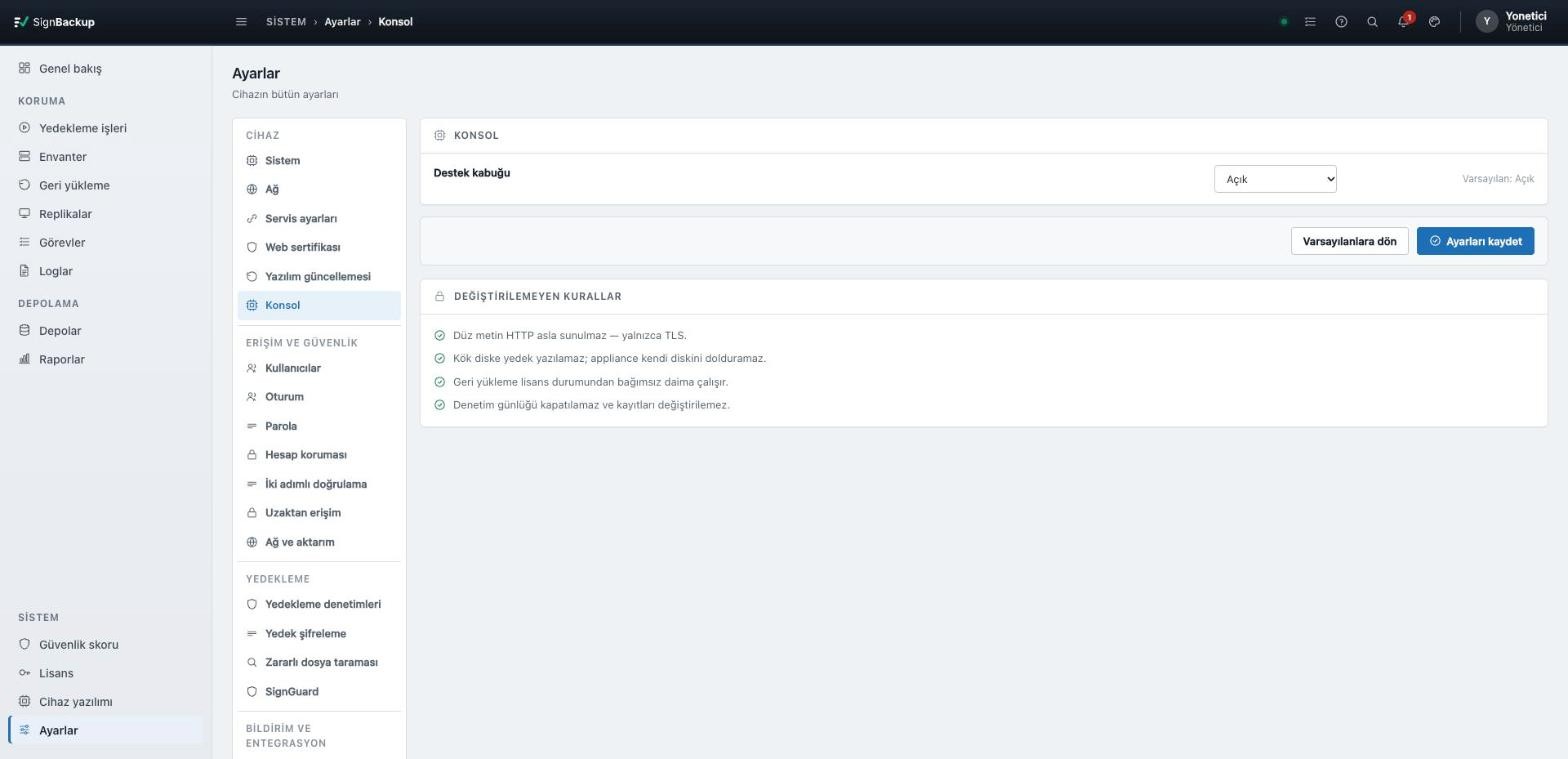
Support shell (default On): the full shell option in the console and SSH menu. Turning it off earns full points in the Security score. Details are on the Console menu and SSH page.
Frequently asked questions
Does saving settings also save other categories?
No. Only the displayed category is saved.
Will I lose access to the appliance if a network change is wrong?
When the confirmation time runs out, the old setting is restored automatically, even if the appliance restarts.
Why doesn't the page open after the port changes?
The page is not redirected; after a few seconds, open https://<adres>:<yeni port>/ (address, new port).