Syslog (CEF) forwarding, audit log and run history retention, and Overview thresholds.
- Menu path: Left menu › System › Settings › Integration / Appearance
- Who uses it: Administrator only
Purpose
This page covers forwarding events off the appliance (syslog/SIEM), the retention periods for the audit log and run history, and the thresholds of the Overview dashboard. SMS providers are covered on the Users, roles, two-factor authentication and SMS page.
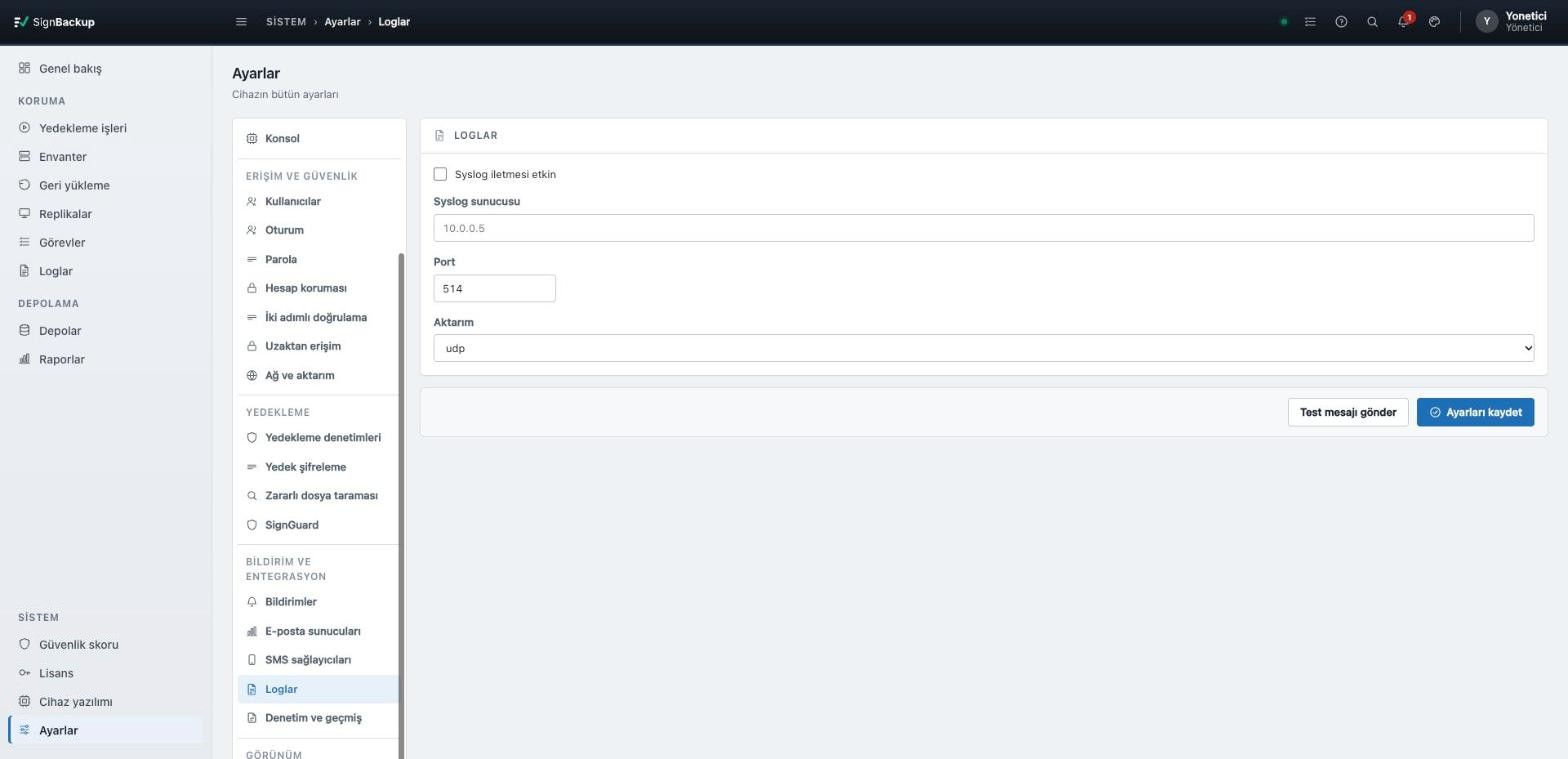
Logs (syslog forwarding)
| Field | Default | Rule |
|---|---|---|
| Syslog forwarding enabled | Off | When on, all audit events are sent in CEF format (with the product name SignBackup and the appliance ID). |
| Syslog server | — | Address or hostname (e.g. 10.0.0.5). |
| Port | 514 | 1–65535. |
| Transport | udp | udp, tcp, tls. |
- Enter the server, port and transport.
- Send test message: sends a test using the values in the form without saving. With UDP, "sent" does not prove delivery; check on the server side as well.
- Select Syslog forwarding enabled and click Save settings. The change takes effect immediately.
Events are written to the local log first; an unreachable syslog server does not delay the actual operation. While forwarding is enabled, saving with a missing/invalid server, port or transport is rejected. This category has no Restore defaults; to stop forwarding, clear the checkbox and save.
Audit and history
| Setting | Default | Range | Note |
|---|---|---|---|
| Audit log retention (days) | 365 | 30–3650 | A short value counts as looser than the default. Expired months are deleted whole from the start of the chain; records may be kept up to one month longer than the period. |
| Run history retention (days) | 365 | 30–3650 | Backup/restore runs; the backups themselves are not affected. |
Cleanup runs once an hour (first ~1 min after startup); when you shorten the period, old months are deleted within an hour and cannot be recovered. Use syslog forwarding for long-term retention.
Overview thresholds
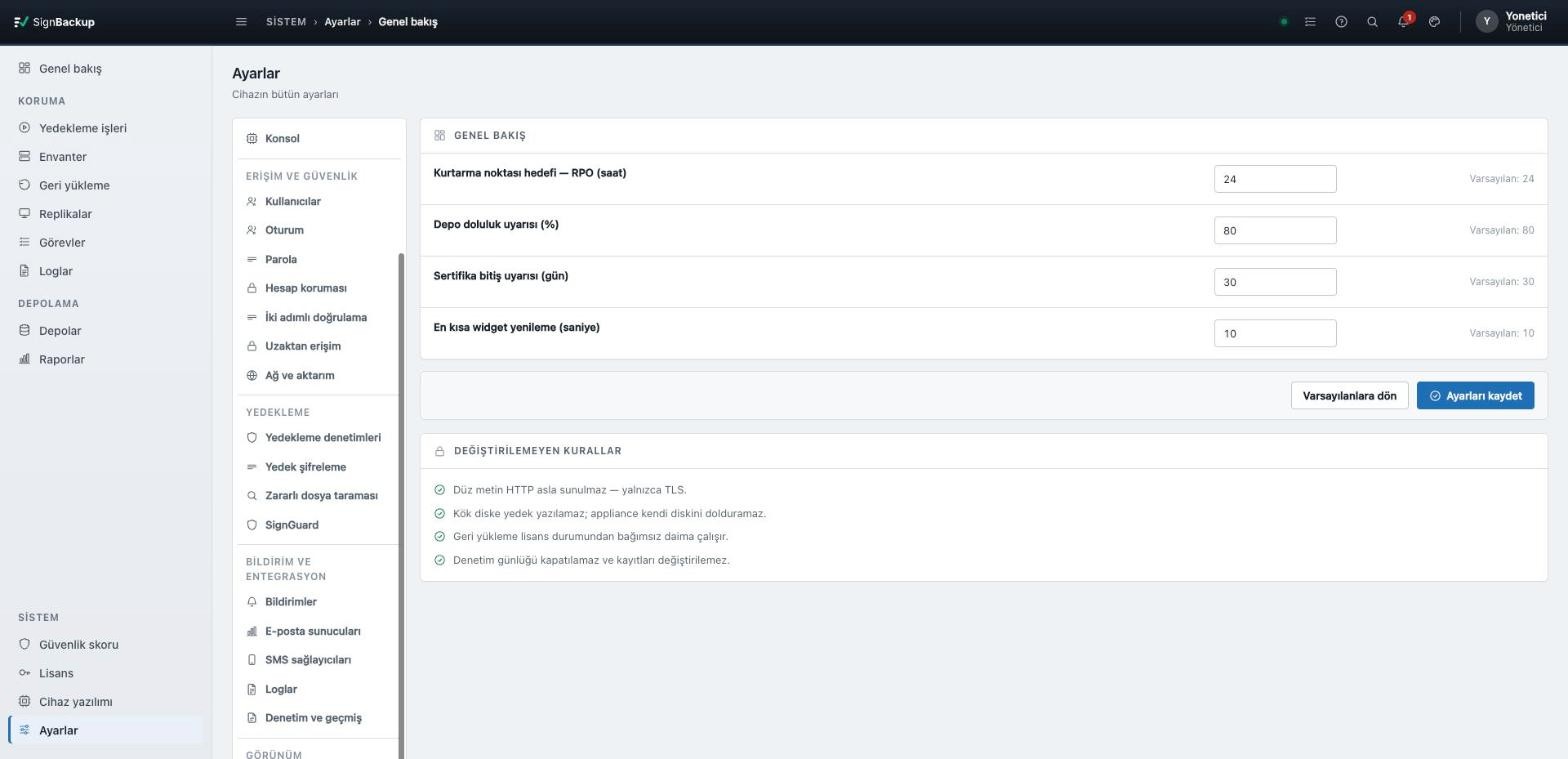
| Setting | Default | Range |
|---|---|---|
| Recovery point objective — RPO (hours) | 24 | 1–720 |
| Repository usage warning (%) | 80 | 50–99 |
| Certificate expiry warning (days) | 30 | 1–365 |
| Minimum widget refresh (seconds) | 10 | 5–600 |
These settings are not security-related; they do not count toward the Security score.
Warnings and error messages
| Message | Meaning | What to do |
|---|---|---|
| Forwarding is on but server/port/transport is invalid — save rejected | A setting that looks enabled but sends nothing is not saved. | Correct the fields and verify with Send test message. |
| Test message could not be sent: … | A connection could not be established. | Check the firewall and the transport type. |
Frequently asked questions
Which events are sent to the SIEM?
All audit events; on the Logs page, each record's CEF line shows the format that is sent.
Can shortening the retention period be undone?
No. Deleted records cannot be recovered.